Saturday, October 18, 2014

Supporting Instruction with Technology


The reason I selected this lesson plan was because it struck me as something I would want to do with my future class.  While animation can be fun, it might be daunting to some students.  Claymation is a very accessible method and a good way to introduce students to the more complex ideas associated with animation.  Giving students an opportunity to create their own characters and their own story would allow them to personalize the assignment.  They would create something interesting for their portfolio, and something fun to show off to family and friends.  Also, this assignment is so open-ended that it lends itself to collaboration with a variety of subjects.  The potential cross-curricular benefits are worth considering.
The original lesson plan was devoid of any introductory material.  While claymation was prevalent in cinema and TV before CGI became ubiquitous, I would not be surprised if high school aged students were unfamiliar with it.  This necessitates an example video to show students the basics of animation with clay and stop-motion film, it's unique aesthetic, and it's limitations. 
Technology plays a vital role in the completion of this assignment.  Some of the technology featured includes youtube, digital cameras, photo processing software, script formatting apps, stop motion software, and video sharing applications.  It is my belief that high school aged students of this generation and generations beyond will be most comfortable using technology to assist in the learning process.  The nature of this assignment is such that technology isn't being used to supplement the learning process.  Instead, it is the very core of the assignment - to familiarize students with the technology required to create a stop motion animation.  Obviously there are peripheral goals such as character conceptualizing and script writing, but at it's core this is a lesson on a particular method of animating. 

Wednesday, October 8, 2014

Discussion Post #2: Pedagogy and Technology


Compare & Contrast Ideas
ScreenChomp

ScreenChomp is an application that records your touch interactions and audio with your device and creates a video that can be shared with anyone, anywhere.  The video you create can be shared with a short URL or downloaded as an MPEG-4 file.  Screenchomp allows students to share ideas with one another or it can be used by teachers to instruct students on new ideas step-by-step from anywhere.


Adapt Content
Aurasma
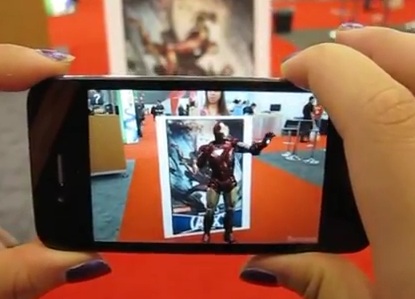
Aurasma is an augmented reality application.  The user scans an area with the camera on his/her phone and an animated sequence appears to come alive with what the app calls "auras."  For instance, the user can scan a movie poster that has been tagged with an "aura"and see the actor jump off the poster and interact with the user.  Furthermore, users can create their own "auras." While this seems mostly like a way for advertisers to utilize more dynamic advertisments, I could see this being an extremely valuable tool for educators.  A teacher can create auras relevant to his/her lesson and tag them onto a plant for science class, or a piece of art for art class.  By using Aurasma, the educator can adapt content onto reality itself.


Share Ideas & Opinions
Comic Life
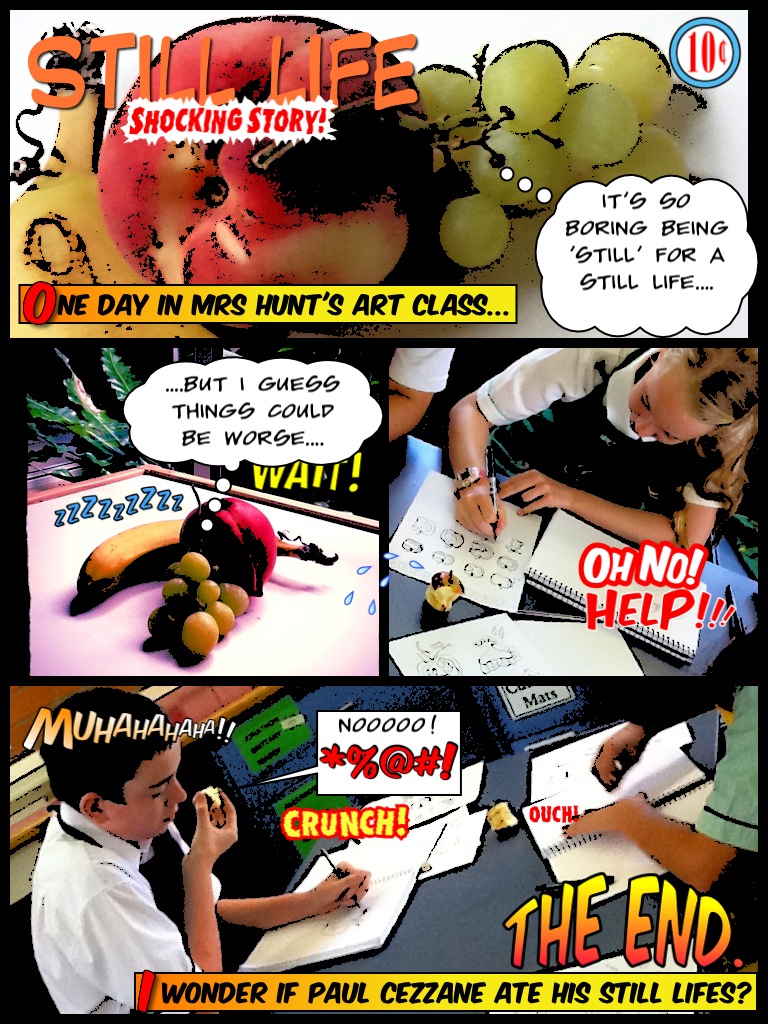
Comic Life applies a comic-book style template on to user's photos.  This allows students to create narratives from the photos on their phone.  It might seem a little out of the box, but I think this app would be very useful in making less exciting lessons a lot more dynamic and interesting for students.  They could make a comic of that day's class and share it with their peers.  


Working Together
Tapose

Tapose is an application for creating journals with a huge array of content that users can create themselves, find on the internet, or create with a variety of in app tools.  Users can collaborate with one another by sharing their journals.  This would be an extremely useful app for group projects.